




International payments are a major friction point for UK businesses. Delays, poor exchange rates, and high fees make it harder to operate globally and even harder to manage cash flow confidently.
Payoneer offers a potential solution. With multi-currency accounts, local receiving details, and integrations with platforms like Amazon, Upwork, and Fiverr, it promises to simplify cross-border transactions.
This review cuts through the marketing to assess how Payoneer actually performs for UK SMEs in 2025. It provides a full breakdown of costs, features, real-world limitations, and whether it’s worth using, or if tools like Wise or Revolut offer better value.

Payoneer Business Account
Monthly Fee
£0.00Bank Transfers
Varies
Card Purchases
£0.00
Overdraft
No
FSCS Protection
No
Should You Use Payoneer: Our Verdict
If your business regularly receives payments from overseas clients or marketplaces, Payoneer could be a strong operational fit. The ability to hold multiple currencies and access local bank details in key markets like the US, EU, and Japan simplifies cross-border payments and reduces friction. For businesses selling through platforms such as Amazon, Upwork, or Fiverr, the built-in integrations are a clear advantage.
That said, Payoneer is not the most cost-efficient option. Currency conversion rates are less competitive than Wise, and certain withdrawal methods carry additional fees. Customer support is functional but slow, which could be a drawback if you need quick issue resolution.
Use Payoneer if your priority is managing multiple currencies and receiving payments from established platforms with minimal setup. If cost is a bigger concern, Wise offers better rates. For businesses looking for a more flexible digital banking experience alongside international payments, Revolut Business is also worth considering.
Payoneer Business Account At A Glance
| Aspect | Summary |
|---|---|
| Who Should Use? | Payoneer is ideal for UK businesses with frequent international transactions. If you’re getting paid by global marketplaces like Amazon, Fiverr, or Upwork, it makes managing multiple currencies much simpler. It’s also a smart choice if you need local bank details in other countries to avoid heavy wire transfer and conversion fees. |
| Who Shouldn’t Use? | Payoneer is ideal for UK businesses that have frequent international transactions. If you’re getting paid by global marketplaces like Amazon, Fiverr, or Upwork, it makes managing multiple currencies much simpler. It’s also a smart choice if you need local bank details in other countries to avoid heavy wire transfer and conversion fees. |
| Products & Features | – Multi-currency receiving accounts (GBP, USD, EUR, etc.) – Ability to send payments globally – Prepaid Mastercard for easy expenses – Multi-user access – No monthly maintenance fees. |
| Pricing | – No setup or monthly fees – Withdrawal fees: £1.50 for same-currency; up to 3% for different currencies – Card annual fee: $29.95 – Currency conversion fee: 2%. Some fees are higher than competitors for international transactions. |
| Ease of Use | Payoneer’s app and web dashboard are highly rated for their simplicity and user-friendly interfaces. They enable easy management of transactions, invoicing, and account balances from any device. |
| Account Access | Users appreciate fast access to funds, with direct transfers to UK bank accounts. Account setup is typically quick (1-3 days). However, those seeking complete control over account features may find the lack of a full banking solution limiting. |
| Safety/Security Aspects | Payoneer operates under FCA regulations in the UK and employs strong fraud protection measures. However, funds aren’t covered by the FSCS. Users feel confident with Payoneer’s security, but may be cautious about its non-bank status. |
| Customer Support Available | Reviews are mixed: some users praise the responsive support (via email and live chat), while others mention slow response times. Payoneer lacks a dedicated UK phone line, which could hinder urgent queries. |
| Trustpilot/Google/App Store | – Trustpilot: 3.8/5 (57,861 reviews) – Apple App Store: 4.5/5 (4,200 reviews) – Google Play Store: 4.3/5 (129,000 reviews). The platform generally receives positive ratings for ease of use and reliability, but suffers from inconsistent support. |
| Eligibility Criteria | Applicants must provide personal and business details, such as company registration information. Account verification can take a few days, especially if further documents are required. |
| Additional Info | – Payoneer is not a bank and lacks some traditional banking services (e.g. overdrafts, direct debits). – It’s perfect for businesses that frequently deal with international payments, but is less suited for local-only businesses. |
What Is Payoneer?

Payoneer is a global payment platform designed to simplify cross-border trade, and it’s been doing just that since 2005. Built for the open eCommerce era, it gives UK businesses local receiving accounts in major currencies, low-cost payouts to 190+ countries, and access to working capital — all from one platform.
The mission? To level the global playing field. Whether selling on Amazon, freelancing for US clients, or sourcing from Asia, Payoneer helps you operate like a local, wherever your business goes.
It’s not a bank, but it is serious about compliance—FCA-registered, publicly listed (Nasdaq: PAYO), and trusted by platforms like Airbnb, Etsy, and Upwork. With over 2,000 employees across 25+ offices, Payoneer is not just global—it’s grounded in solving real payment problems for real businesses.
Who Should Use Payoneer?
✅ Payoneer is best for:
- UK businesses regularly receiving payments from global marketplaces like Amazon, eBay, Fiverr, or Upwork.
- Freelancers and agencies billing international clients and needing to manage different currencies easily.
- E-commerce sellers who pay suppliers or fulfilment partners overseas and want to avoid hefty wire transfer fees.
- Companies that need to send mass payouts to remote teams, freelancers, or contractors abroad.
- Businesses operating in multiple currencies that want to hold balances in USD, EUR, GBP, and more without constantly converting back to GBP.
- Firms that need a business Mastercard for international expenses, online purchases, or cash withdrawals at ATMs while travelling.
- Anyone who values having local receiving accounts in major currencies like USD, EUR, GBP, JPY, AUD, and more, to make getting paid faster and cheaper.
❌ Payoneer is less suitable for:
- UK businesses trading only within the UK and dealing purely in GBP will not get the full value out of Payoneer’s international features.
- Companies needing the lowest currency conversion costs tend to use services like Wise, which tends to be cheaper and more transparent about FX rates.
- Firms after an all-in-one business account with things like budgeting tools, team expense cards, and cashflow management — Revolut Business or Tide might be better suited.
- Startups or solopreneurs who don’t work with international clients, marketplaces, or suppliers — you probably won’t use most of what Payoneer offers.
- Businesses that need quick, consistent customer support — Payoneer is reliable day-to-day, but I’ve seen cases where responses take longer, especially at busy times.
- Companies wanting fixed, low-cost international transfers — platforms like Wise offer more predictable, flat-fee pricing if that’s your bigger priority.
Payoneer Business Account Features
Payoneer isn’t trying to replace your day-to-day business bank. It’s built for a specific type of user — global sellers, freelancers, and businesses working across borders. If that sounds like you, here’s where I think Payoneer really stands out:
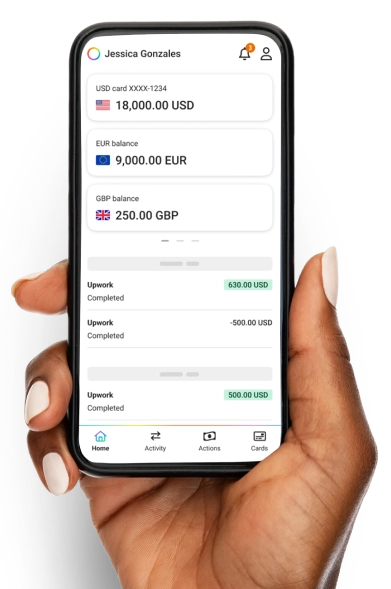
- Multi-currency receiving accounts: You get local bank details in GBP, USD, EUR, AUD, CAD, JPY, and more. This means you can invoice clients abroad as if you were based locally — no SWIFT codes, no excessive international banking fees. I think this is one of Payoneer’s biggest strengths if you invoice in different currencies.
- Mass payouts from global platforms: Payoneer links directly with Amazon, Fiverr, Upwork, Airbnb and others. Perfect if you’re a freelancer, agency, or marketplace seller juggling multiple income streams.
- Send payments globally: Pay suppliers, freelancers, or partners in over 190 countries, either to their bank account or Payoneer wallet. It’s much smoother than traditional international bank transfers.
- Hold and convert funds: You can keep your earnings in different currencies and only convert them when you’re ready or when the exchange rate looks better. This flexibility is a real bonus for cash flow management.
- Prepaid Mastercard: You can spend your Payoneer balance online or in-store worldwide without having to move money first. This is handy if you travel for business or have international expenses.
- Accounts payable tools: You can request payments, create invoices, and track who’s paid you—very useful for freelancers and service businesses managing many clients.
- Quick withdrawals to your UK account: Link your UK business account and transfer funds quickly, often within 1–2 business days. In my experience, this is usually pretty reliable.
- No monthly maintenance fees: Opening and maintaining a Payoneer account is free. However, there are extras, like the £23.95 annual fee for the Mastercard and an inactivity fee if you don’t use your account for 12 months.
- Multi-user access: You can give accountants or teammates access with different permission levels — a great touch if your business is growing and you want to stay organised.
- Strong fraud and security controls: Payoneer follows strict UK and global financial regulations and is FCA-registered. I trust their security processes, but as with any platform, it’s always smart to protect your login details.
Payoneer Business Account Pros & Cons
- Receive multiple currencies without the need for foreign accounts.
- Trusted by global platforms like Amazon, Fiverr, and Upwork.
- No setup or monthly fees.
- Hold, convert, and withdraw in multiple currencies.
- Send payments to 190+ countries with ease.
- Multi-user access for your team and accountants.
- Easy payments with local account details for clients.
- Not a UK bank, so no FSCS, overdrafts, or direct debits.
- Currency conversion fees of around 2%.
- No cash or cheque deposits.
- Customer support can be slow at times.
- Inactivity fees after 12 months.
Payoneer Fees
| Service | Fee | Notes |
|---|---|---|
| Account Setup | Free | |
| Monthly Maintenance | Free | |
| Inactivity Fee | Up to $29.95/year | Charged if an account is inactive for 12 months. |
| Receiving Payments | ||
| From another Payoneer customer | Free | |
| From clients via credit card | Up to 3.99%* | Additional $0.49 fixed fee in some countries. |
| From marketplaces (e.g. Fiverr, Upwork) | Varies | Set by each marketplace. |
| Via receiving accounts (EUR, GBP, USD) | Free | When receiving in local currency of your country. |
| Paying Others | ||
| To another Payoneer user in same country (USD/EUR/GBP) | Up to £4/€4/$4 | Flat fee per transaction. |
| To another Payoneer user in a different country | Up to 1% | Minimum fee: $4.00 USD. |
| To non-Payoneer users via bank transfer | Up to 3% | Minimum fee may apply. |
| To local bank (USD, GBP, EUR) – under £50,000/month | £1.50 / €1.50 / $1.50 | Same-currency withdrawals. |
| To local bank – over £50,000/month | 0.5% | Threshold resets monthly. |
| Currency Conversion | ||
| Between Payoneer balances | 0.5% | Transparent rate shown before transfer. |
| Withdrawals | ||
| From same-currency Payoneer balance | £1.50 / €1.50 / $1.50 | For users in UK, EU, US only. |
| From different-currency Payoneer balance | Up to 3% | Based on transaction amount. |
| Card Fees (Payoneer Mastercard) | ||
| Card Delivery (Standard) | Free | First card only. |
| Card Delivery (Express – DHL) | $40.00 | Optional express shipping. |
| Annual Card Fee | $29.95 | Applies to first card. |
| Additional Cards | Free | |
| Card Replacement | $12.95 / €9.95 / £9.95 | |
| Foreign Currency Conversion | Up to 3.5% | For purchases in a non-card currency. |
| Cross-border Purchase Fee | Up to 1.8% | If merchant’s country differs from card’s. |
| ATM Withdrawal | $3.15 / €2.50 / £1.95 | Per transaction. |
| ATM Balance Enquiry | $1.00 / €0.87 / £0.65 | Per enquiry. |
💡 Quick insight: While headline fees seem low, Payoneer makes money on FX margins. If you’re doing regular international business, that ~2% can quietly add up — worth factoring in when comparing with multi-currency competitors like Wise or Revolut.
How Safe Is Payoneer?

Payoneer operates under a solid regulatory structure, making it a safe choice for UK-based businesses, though it’s not a traditional bank. It’s registered in the UK via Payoneer Europe Limited, which is FCA-registered as an Electronic Money Distributor (EMD Agent), and fully authorised in Luxembourg as an e-money institution.
Here’s what this means for you:
- Client Funds Protection: Payoneer keeps your funds in separate, segregated accounts at reputable banks, ensuring your money is safeguarded.
- No Lending or Reinvestment: Payoneer doesn’t use your funds for its business activities, reducing financial risks.
- FCA Oversight: While Payoneer itself isn’t directly FCA-authorised, it operates under FCA supervision through its European arm.
- Not FSCS Protected: Unlike traditional banks, Payoneer isn’t covered by the Financial Services Compensation Scheme (FSCS). So, while your funds are safeguarded, getting them back in a worst-case scenario could take longer and involve legal processes.
I think Payoneer’s regulatory setup offers a strong security foundation. Still, it’s important to remember it isn’t a bank, so it doesn’t provide the same protections you might be used to with a high-street UK bank. However, Payoneer’s compliance and safeguards make it a reliable choice if you’re focused on international transactions.
Ease of Use
Payoneer is designed to be straightforward and offer flexibility for managing your business finances globally, but there are a few things to keep in mind.
Signing Up
Getting started with Payoneer is relatively simple, but not always instant. The sign-up process involves filling out an online application, which can take anywhere from a few minutes to an hour, depending on your business details. You’ll need to provide personal and business information, such as company registration details and financials.
Once submitted, Payoneer typically verifies your account within a few business days. However, I’ve seen some users report longer wait times and inconsistent communication, especially for more complex setups, which can be frustrating if you’re eager to get started. The process is generally smooth, but it’s not the quickest, so be prepared to wait.
Mobile App and Web Dashboard
Payoneer’s mobile app and web dashboard are both user-friendly and practical. The clean layout makes checking balances, tracking payments, and switching currencies easy. The mobile app is a real win for entrepreneurs on the go who need to stay on top of things while out of the office.
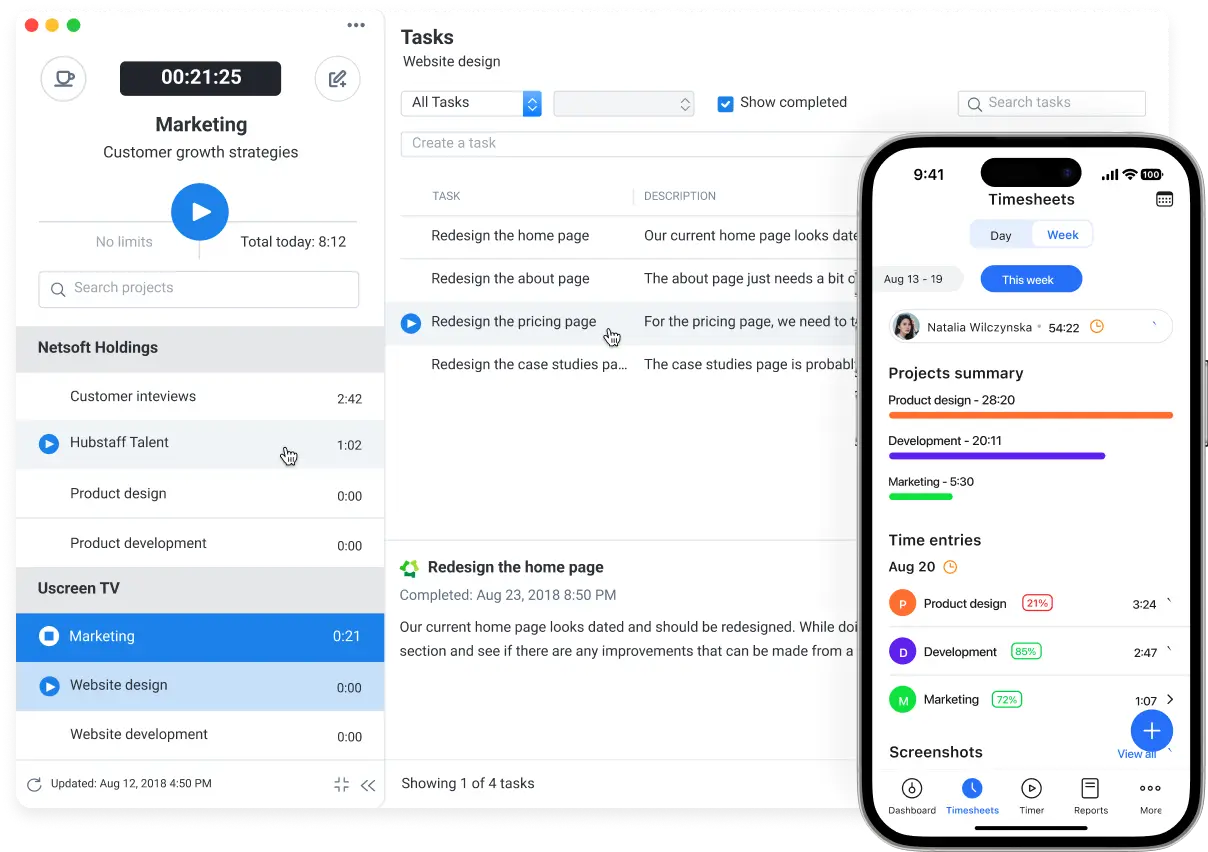
The web dashboard, however, offers a more detailed view, with options like downloadable statements and currency-specific activity. Plus, Payoneer integrates seamlessly with UK accounting tools like Xero and QuickBooks, which is a big plus for those managing finances with these platforms. This can save you time on manual bookkeeping and avoid extra admin.
Customer Support Channels
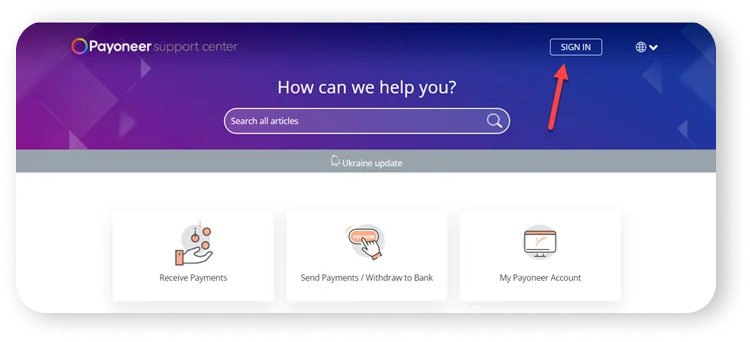
Payoneer offers support via an online help centre, email, and live chat during standard hours, but the experience can be hit or miss. There’s no dedicated UK support line, which can be annoying if you need fast help. Response times can vary, and some users find it tricky to escalate more complex issues. Personally, I think this could be a dealbreaker if you’re running a fast-paced business and need reliable, immediate assistance.
If you need better customer support and smoother integrations with accounting tools, Revolut Business might be a better choice, as they tend to have more responsive customer service and UK-specific features. But if your main concern is handling international payments, Payoneer’s simplicity still shines.
Payoneer Customer Reviews
Payoneer’s customer reviews on platforms like Trustpilot, the Apple App Store, and the Google Play Store paint a mixed picture. While there’s plenty of positive feedback, several recurring issues, especially around customer support and account management, pop up. Here’s a breakdown of what you can expect.
As of 23rd April 2025, Payoneer’s ratings are:
- Trustpilot: 3.8 out of 5 (57,861 reviews)
- Apple App Store: 4.5 out of 5 (4,200 reviews)
- Google Play Store: 4.3 out of 5 (129,000 reviews)
Positive Feedback
✅ Ease of Use: A big win for Payoneer is its simple, user-friendly interface. Users appreciate how easy it is to set up an account and start making international payments without the lengthy delays you’d get with traditional banks. This speed is crucial for small business owners and freelancers when managing cross-border payments.
✅ Customer Support: While support is a bit of a mixed bag, many users have praised the team for being responsive and professional when issues arise. I’ve found Payoneer’s support helpful when resolving problems, though it can take a while to get in touch with the right person.
✅ Reliability: Payoneer is generally considered a reliable platform, especially when it comes to secure, global payments. It’s a go-to for freelancers who need quick, hassle-free transfers to and from clients worldwide.
Negative Feedback
❌ Account Issues: Some users, including myself on a few occasions, have encountered frustrating account verification delays or even accounts being frozen unexpectedly. These issues often arise when there’s a mismatch in personal and business details or when additional verification steps are required. This can lead to extended periods where funds are inaccessible, which is not ideal for anyone needing fast cash flow access.
❌ Customer Service Delays: A major point of frustration is the slow customer support response times. Users across all platforms report lengthy waits, automated replies, and difficulty escalating issues. If you need urgent help, the experience can be disappointing, and sometimes, this delays resolving problems that affect your payments.
❌ Fees & Technical Problems: Hidden fees—especially around withdrawals—are a common pain point. Some users feel these fees are not always clear upfront. Additionally, frequent technical issues like login problems, forced password resets, and annoying verification loops have led to user complaints. These problems can add to the stress of using Payoneer as a business tool.
Payoneer Business Account Eligibility Criteria
To open a Payoneer Business Account, you need to meet a few basic criteria to ensure your business qualifies for their services.
- Age: You must be at least 18 years old.
- Business Type: Payoneer accounts are available to businesses that fall into one of the following categories:
- Service Providers & Freelancer Agencies: Freelancers or agencies that receive payments for services provided to clients or online marketplaces.
- Online Sellers: Businesses that sell goods on eCommerce platforms and receive payments from those marketplaces.
- Small to Medium-Sized Businesses (SMBs): Companies needing to pay or receive payments for products or services.
- Location: Payoneer is available to businesses in the UK and many other countries. You must have a registered company in one of the supported regions.
- Business Activity: Payoneer reviews the nature of your business, and certain high-risk industries (such as gambling or adult services) may be subject to additional checks or restrictions. Make sure your business complies with Payoneer’s acceptable use policies.
1. Personal Use
Payoneer is intended for business transactions only. This means it doesn’t support personal money transfers, such as sending money to family or friends. Businesses are strictly required to receive and make payments for commercial activity.
2. Restricted Industries
Certain industries are off-limits for Payoneer Checkout due to the inherent risks and regulatory challenges they pose. This includes:
- Adult Content & Services: From adult entertainment to escort services and adult video stores.
- Gambling & Betting: Including online gambling, sweepstakes, and games of chance.
- Illegal Products or Services: Any business selling illegal drugs, counterfeit goods, or anything violating applicable laws.
- Financial Services: Payoneer doesn’t support businesses in banking, payday loans, or other financial services like money transmission and currency exchange.
3. Prepaid Card Use
If your business seeks to receive payments via prepaid cards alone, Payoneer cannot support this. The platform allows companies to accept payments for goods and services, not simply process prepaid card transactions.
4. Specific Product and Service Restrictions
Payoneer also excludes certain types of products and services from its platform. These include, but are not limited to, activities like:
- Telemedicine & Pharmaceuticals: Including prescription drugs, supplements, and certain medical aesthetic services.
- High-Value Goods: Precious metals, loose stones, and other items where the chain of custody cannot be verified.
- Non-Fiat Currencies: Virtual currencies, cryptocurrencies, and NFTs.
These exclusions are in place for both security and regulatory compliance reasons. However, Payoneer does retain the discretion to review specific cases and may approve services on a case-by-case basis.
How To Apply For A Payoneer Business Account
Applying for a Payoneer Business Account is a straightforward process, but following each step carefully is important. Here’s a quick guide to help you get started:
1. Visit Payoneer’s Website
First, head to Payoneer’s official website. Look for the “Sign Up” or “Get Started” button on the homepage. This will direct you to the registration page to create a business account.
2. Provide Your Business Details
You’ll need to fill out basic information about your business, including:
- Business Name: The official name of your business as it appears in your registration documents.
- Business Type: Choose from options like sole proprietorship, partnership, or limited company.
- Business Address: Your registered business address. This should match the address listed in your official business documents.
- Industry Type: Select the industry in which your business operates. Payoneer will use this to ensure your business falls within their supported sectors.
3. Personal Information
Next, you’ll be asked to provide the applicant’s personal details. This includes:
- Name and Contact Info: Full name, email address, and phone number.
- Identification Documents: Upload a government-issued ID (like a passport or driving licence) and possibly a utility bill or bank statement to confirm your identity and address.
4. Set Up Your Payment Preferences
Payoneer will ask how you plan to receive payments. You can receive funds via bank transfer, prepaid card, or Payoneer’s e-wallet. The more details you provide about your business needs, the better Payoneer can tailor your account setup.
5. Review and Submit
Before submitting, double-check all the information you’ve entered. Payoneer may request additional details depending on your business type. Make sure everything is accurate to avoid delays in your approval.
6. Wait for Verification
Once submitted, Payoneer will review your application. This can take anywhere from a few days to a couple of weeks. Payoneer might request more documents or additional information to verify your business.
7. Account Approval and Setup
After your application is approved, you’ll receive an email confirming your account has been activated. You’ll also be provided with login details, and your Payoneer account will be ready to use.
Alternatives To Payoneer
| Feature | Payoneer | Wise | Revolut | Airwallex |
|---|---|---|---|---|
| Best For | Frequent global payments | Low-cost international transactions | Fully-integrated, all-round digital solution | Scaleable solutions for high-volume international transactions |
| Key Features | Multi-currency accounts, global payments, and cross-border invoicing | Low fees, easy-to-use platform, and excellent exchange rates | Multi-currency accounts, expense management tools, and an integrated card | Global accounts, high-volume international payments, and real-time exchange rates |
| Fees | 1% fee for local bank withdrawals, variable transaction fees | Small flat fee + percentage on exchange rate | £0–£100 per month, depending on plan, plus transaction fees | Free transfers between Airwallex accounts, competitive international fees |
| Currencies Supported | 10+ currencies | 40+ currencies | 34 currencies | 46+ currencies |
| Learn More | Visit Payoneer | Visit Wise | Visit Revolut | Visit Airwallex |
Payoneer Business Account FAQs
Yes, Payoneer is designed specifically for businesses. It allows you to send and receive payments internationally, manage multiple currencies, and access various business tools like invoicing and expense tracking. Payoneer is ideal for freelancers, e-commerce sellers, and businesses that need a secure, efficient way to handle global transactions. However, it does not support personal transfers like sending money to family or friends.
Yes, you can open a Payoneer Business Account in the UK. Payoneer is licensed and regulated by the UK’s Financial Conduct Authority (FCA) through its entity, Payoneer Payment Services (UK) Limited. This ensures that UK-based businesses can access Payoneer’s services, including receiving GBP payments via local bank details, in compliance with UK financial regulations.
Yes, Payoneer charges fees for its services, though many are conditional and depend on account activity and usage. While there are no monthly account fees, a $29.95 fee applies if your account remains inactive for 12 months and you have received less than $2,000 in payments during that period.
Yes, you can use Payoneer as a freelancer. It’s designed with freelancers and digital professionals in mind. You can receive payments from international clients and freelance marketplaces like Upwork and Fiverr, and you can even request payments directly via Payoneer’s billing service. If eligible, it also lets you withdraw your earnings to your UK bank account or spend them using the Payoneer card.
Yes, you can use Payoneer as a business-friendly alternative to a traditional bank account, especially for international transactions. While it’s not a bank, Payoneer provides multi-currency receiving accounts in major currencies like USD, GBP, and EUR, allowing you to accept payments from clients and marketplaces as if you had local bank accounts in those regions.
Yes, you can open a Payoneer account without a bank account. You’ll still be able to receive payments and use the Payoneer Prepaid Mastercard to spend or withdraw funds. However, you won’t be able to withdraw to a local bank until you add one later.
No, Payoneer is not owned by PayPal. While both companies operate in digital payments, they are separate entities. Payoneer was founded in 2005 by two former PayPal employees and has since grown into a global payment platform specialising in cross-border transactions for freelancers, online sellers, and businesses.