



Our Verdict
If you’re starting out and want to take cards without signing anything, SumUp is the lowest-commitment way in: £25 ex VAT buys a reader you own, in-person cards cost 1.69%, and a quiet month costs you nothing at all.
Payments Plus at £19 a month cuts eligible domestic consumer cards to 0.99%, but I wouldn’t sign up on that headline. Once American Express, corporate or foreign cards are a real share of your takings, 0.99% stops describing your bill. Card mix flips this decision, not scale.
See SumUp pricing →Hardware, rates and payout timings on this page were checked at source on 28 July 2026. Everything below shows the working.
| Item | Detail |
|---|---|
| Current readers | Tap to Pay: no hardware cost; Solo Lite: £25; Solo: £79; Terminal: £135, all ex VAT. Owned outright, no contract. |
| In person, customer’s SumUp personal card | 0.00% on pay as you go and on Payments Plus. |
| In person, other cards | 1.69% on pay as you go, including American Express. |
| Payments Plus | £19 a month or £189 a year, which SumUp markets as saving 17%. |
| Cards that reach 0.99% | eligible domestic consumer debit and credit cards accepted in person, on Payments Plus only. |
| Cards that stay at 1.69% | American Express, corporate, commercial, premium and international cards, on both plans. |
| Online, links and invoices | 2.5%. |
| Keyed and Virtual Terminal | SumUp publishes no rate for this channel on its UK pricing pages. We could not source one. |
| Chargeback fee | £10, non-refundable, per SumUp’s chargeback guidance. |
| Refunds | The customer gets the sale back. You do not get the original transaction fee back on a completed payment. |
| Payout, SumUp Business Account | Next day by 7am, weekends and bank holidays included. |
| Payout, external bank | One to two business days. |
| Support hours | Seven days: Monday to Friday 08:00 to 19:00, Saturday and Sunday 08:00 to 17:00. Payments Plus adds 24/7 priority support. |
| Contract | None. No minimum term, no minimum monthly turnover, no exit fee. |
| Regulatory status | Customer funds are safeguarded, not FSCS-protected. |
| Rates and plan costs checked at sumup.com/en-gb/pricing, payouts at SumUp’s payouts guidance and support hours at SumUp’s contact page, all on 28 July 2026. Regulatory status cross-checked on the FCA register. | |
The Payments Plus row leaves one cost unresolved: VAT treatment is not stated on the pricing page. SumUp Payments Limited is authorised by the Financial Conduct Authority under the Electronic Money Regulations 2011, reference 900700.
SumUp Pricing: Pay As You Go vs Payments Plus
You have one real decision to make with SumUp, and it isn’t which reader to buy. It is whether to pay 1.69% and nothing else, or pay £19 a month for a lower rate on some of your cards.
Pay As You Go Fees
Pay as you go costs you 1.69% on in-person cards and nothing else. No monthly fee, no contract, no minimum turnover, and no charge for a month in which you take no payments at all. On a £40 sale that’s 68p.
American Express sits at the same 1.69% as Visa and Mastercard on this plan, which is genuinely useful if you serve business travellers or tourists. Check how your current provider prices American Express before you compare the two, because it is not always charged at the standard rate.
You may not have seen this tier before. Payments made in person with a customer’s SumUp personal card cost 0.00%, on both plans.
Online payments, payment links and invoices cost 2.5%, which is a materially different business from the in-person rate. If you sell half online, your blended cost is nowhere near 1.69%.
What Payments Plus Costs and Which Cards Qualify
Payments Plus costs £19 a month, or £189 paid annually, which SumUp markets as a 17% saving. It cuts eligible domestic consumer debit and credit cards accepted in person from 1.69% to 0.99%, and it adds 24/7 priority support and reader-replacement cover.
You get no reduction anywhere else. American Express, premium and international cards stay at 1.69%. Online stays at 2.5%. SumUp-card payments were already free. So the plan buys you exactly 0.70 percentage points, on one slice of your takings.
That is the condition the headline rate leaves out, and it is why you can subscribe, watch the bill barely move, and assume the maths was rigged. It was not rigged. It was described loosely.
You cannot tell from SumUp’s UK pricing page whether the £19 is quoted excluding or including VAT, and we could not resolve it at source either.
If you aren’t VAT registered, the difference is real money on your break-even, so ask before you subscribe rather than after.
| Payment or cost | Pay as you go | Payments Plus | Condition |
|---|---|---|---|
| In person, paid with a customer’s SumUp personal card | 0.00% | 0.00% | Free on both plans, so upgrading saves nothing on this volume |
| In person, eligible domestic consumer debit or credit card | 1.69% | 0.99% | The only volume Payments Plus reduces |
| In person, American Express, corporate, premium or international | 1.69% | 1.69% | No reduction on either plan |
| Online, payment link or invoice | 2.5% | 2.5% | Unchanged by the plan |
| Keyed or Virtual Terminal | Not published | Not published | Absent from SumUp’s UK pricing pages; it is not the online rate |
| Plan fee | None | £19/month or £189/year | VAT treatment not stated on the pricing page |
| Chargeback | £10 | £10 | Non-refundable, win or lose |
| Checked at sumup.com/en-gb/pricing on 28 July 2026. The chargeback fee is from SumUp’s chargeback procedure guidance. | |||
Which SumUp Pricing Plan Pays Off at Your Turnover
You need one number: the share of your in-person card turnover that arrives on eligible domestic consumer debit and credit cards. Everything else follows from it, because those are the only payments Payments Plus makes cheaper.
The sum is short: Payments Plus saves you 0.7% on every qualifying pound, which is 1.69% minus 0.99%.
Take the monthly plan fee, divide it by that saving, then divide again by your qualifying share of turnover. What comes out is the turnover you need before the subscription pays for itself.
Run that at a few different card mixes and you’ll see why the widely repeated “about £3,000 a month” is a floor rather than an answer:
| Share on eligible domestic consumer cards | Break-even, monthly billing | Break-even, annual billing |
|---|---|---|
| 100% of in-person card volume | £2,714 | £2,250 |
| 90% of in-person card volume | £3,016 | £2,500 |
| 80% of in-person card volume | £3,393 | £2,813 |
| 70% of in-person card volume | £3,878 | £3,214 |
| 50% of in-person card volume | £5,429 | £4,500 |
| Annual-plan break-even assumes similar qualifying turnover in all twelve months. If you trade seasonally, work against your full-year qualifying turnover before paying up front. Business Expert calculation from the plan fees and rates published at sumup.com/en-gb/pricing, checked 28 July 2026. Shares are of total in-person card turnover. | ||
That top row is the mathematical floor and you won’t reach it, because it assumes every single card you take qualifies for the lower rate. One American Express, one corporate Visa, one German tourist, and you’re on a different row of the table.
Treat SumUp’s own guidance of roughly £3,000 a month as a fair rule of thumb, then assume your own number sits above it. It certainly sits above the floor.
One result here will catch you out, so it’s worth stating plainly. Volume paid with a customer’s SumUp personal card is free on both plans, so upgrading saves nothing on it.
They behave exactly like American Express takings in this sum, so a healthy share of SumUp-card volume pushes your break-even turnover up, not down.
SumUp Payments Plus break-even calculator
Put in a normal trading month and your card mix. It prices pay as you go against Payments Plus on SumUp’s published rates and tells you which one costs you less.
| Plan | Transaction fees | Subscription | Total a month |
|---|---|---|---|
| Pay as you go | £67.60 | £0.00 | £67.60 |
| Payments Plus cheaper | £45.20 | £19.00 | £64.20 |
Payments Plus saves you £3.40 a month on that mix, which is £40.80 over a year.
At that card mix you need £3,393 a month through the reader before Payments Plus starts paying for itself.
What decides the real answer. Your card issuer decides which rate each payment gets, not you. A month that looks 80% domestic on your own reckoning can settle lower if a run of customers pay on business cards or foreign cards. Anything paid with a customer’s SumUp personal card is free on both plans, so it saves you nothing by upgrading and it pushes your break-even turnover up, not down.
Business Expert calculation from SumUp’s published UK pricing, checked 28 July 2026 at sumup.com/en-gb/pricing. It prices transaction fees and the plan subscription only, not hardware, and not the keyed or Virtual Terminal channel, whose rate SumUp does not publish.
Four worked examples, so you can see the shape of it before you type your own figures in. All four assume monthly billing and no SumUp personal-card volume.
- £2,500 a month, 90% on eligible domestic consumer cards. Pay as you go costs £42.25. Payments Plus costs £45.50 including the subscription, so you lose £3.25 a month. Break-even at 90% is £3,016. Stay on pay as you go.
- £4,000 a month, 80% on eligible domestic consumer cards. Pay as you go costs £67.60, Payments Plus £64.20. You save £3.40 a month, which is real but thin. Break-even at 80% is £3,393, so you’re only just past it.
- £5,000 a month, 80% on eligible domestic consumer cards. Pay as you go costs £84.50, Payments Plus £75.50. You save £9.00 a month, or £108.00 a year. Clearly worth it.
- £10,000 a month, 70% on eligible domestic consumer cards. Pay as you go costs £169.00, Payments Plus £139.00. You save £30.00 a month, or £360.00 a year. Subscribe.
- The trap: £4,000 a month, but 30% on SumUp personal cards and only 60% on eligible domestic consumer cards. Pay as you go costs £47.32, because the SumUp personal-card share is free. Payments Plus costs £49.52, so the plan loses you £2.20 a month at the same turnover as the second example above.
Chargeback fees: a chargeback costs you £10, and it’s non-refundable whether or not you win the dispute.
You can read the fee yourself in SumUp’s own chargeback procedure guidance, which sets it out alongside the steps its acquiring bank follows.
Refund fees: you can refund a sale from the app, but the transaction fee you already paid doesn’t come back. On a £400 refund at 1.69%, the £6.76 you paid to take the money is gone.
Other charges to watch: you won’t pay a statement fee, a card-security compliance charge or a minimum-spend penalty, which is genuinely clean by the standards of this market.
The charges that will actually catch you out are the 2.5% online rate, if you start selling through payment links, and the unpublished keyed rate if you start taking card numbers over the phone.
SumUp Card Readers and Hardware Costs
The Current SumUp Reader Range
You are choosing between four current products, and the honest question isn’t which is best but whether you need the reader to work without your phone. Solo Lite, Solo and Terminal take chip and PIN as well as contactless, Apple Pay and Google Pay. Tap to Pay is contactless only.
| Option | Price ex VAT | Phone needed | Connectivity | Printer | Best for | Limitation |
|---|---|---|---|---|---|---|
| Tap to Pay | £0 | Yes | Your phone’s connection | No | A backup, or occasional low-volume trade | Compatible phone only, contactless only |
| Solo Lite | £25 | Yes | Bluetooth to your phone | No | The cheapest dedicated reader | Your phone dies, your till dies |
| Solo | £79 | No | Wi-Fi plus built-in mobile data | Optional accessory | Standalone mobile trading | Higher upfront cost |
| Terminal | £135 | No | Wi-Fi plus mobile data | Built in | Hospitality and retail where customers expect paper | The most to spend up front |
| Prices and specifications checked at sumup.com/en-gb/card-readers on 28 July 2026. Prices exclude VAT. | ||||||
Tap to Pay costs you nothing because there is no hardware: your phone becomes the reader. Solo Lite at £25 ex VAT is the entry-level dedicated reader, and the one to buy if you are starting out and want the card off your phone screen.
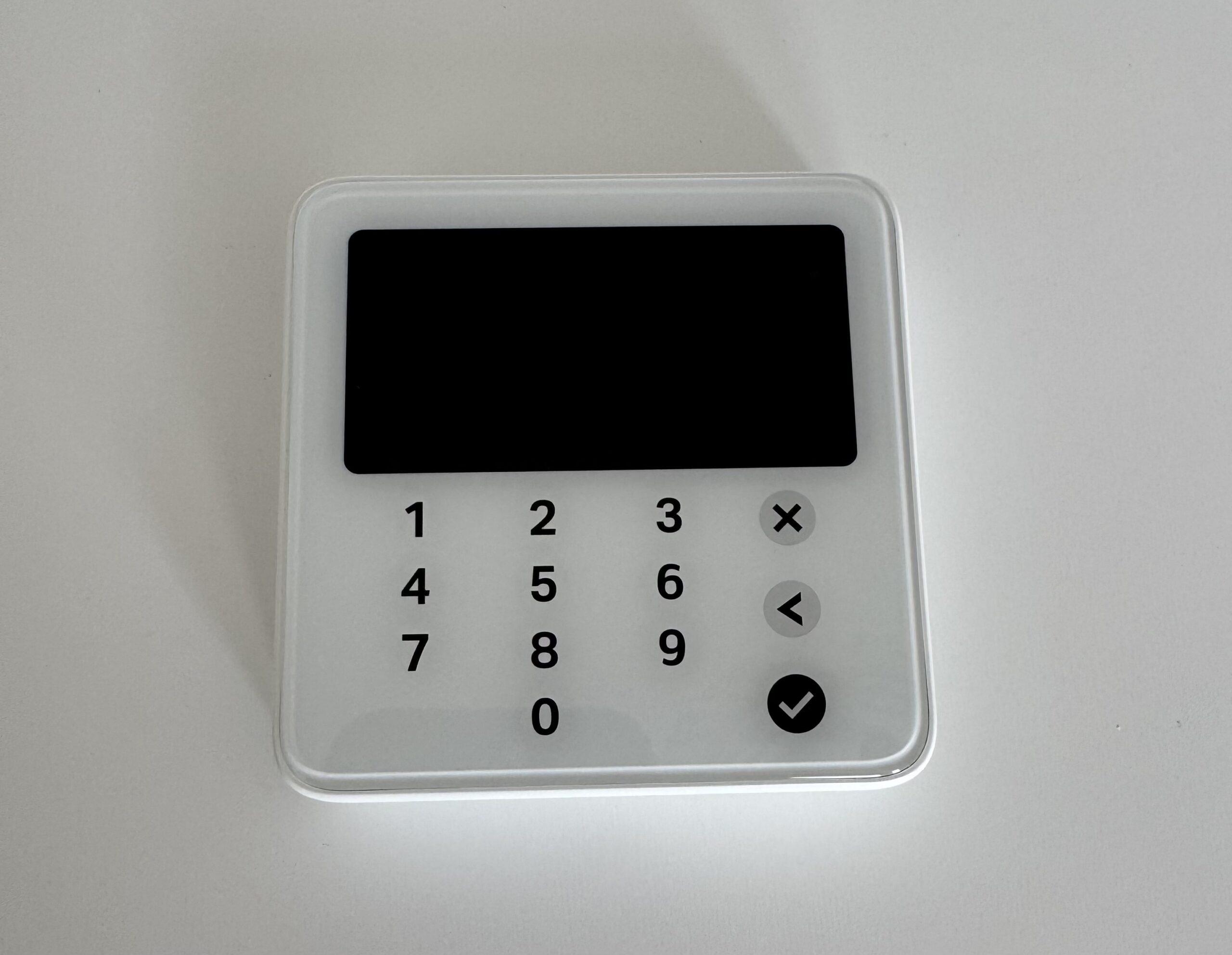
Unlike Tap to Pay, Solo Lite has its own touchscreen and touch PIN pad, so card entry and customer PIN happen on the reader itself. Your phone is there for the SumUp app, not for the payment.
Solo at £79 ex VAT is where you stop depending on a phone. If you work where your handset has no signal, that £54 is the difference between taking the money at the door and invoicing for it later.
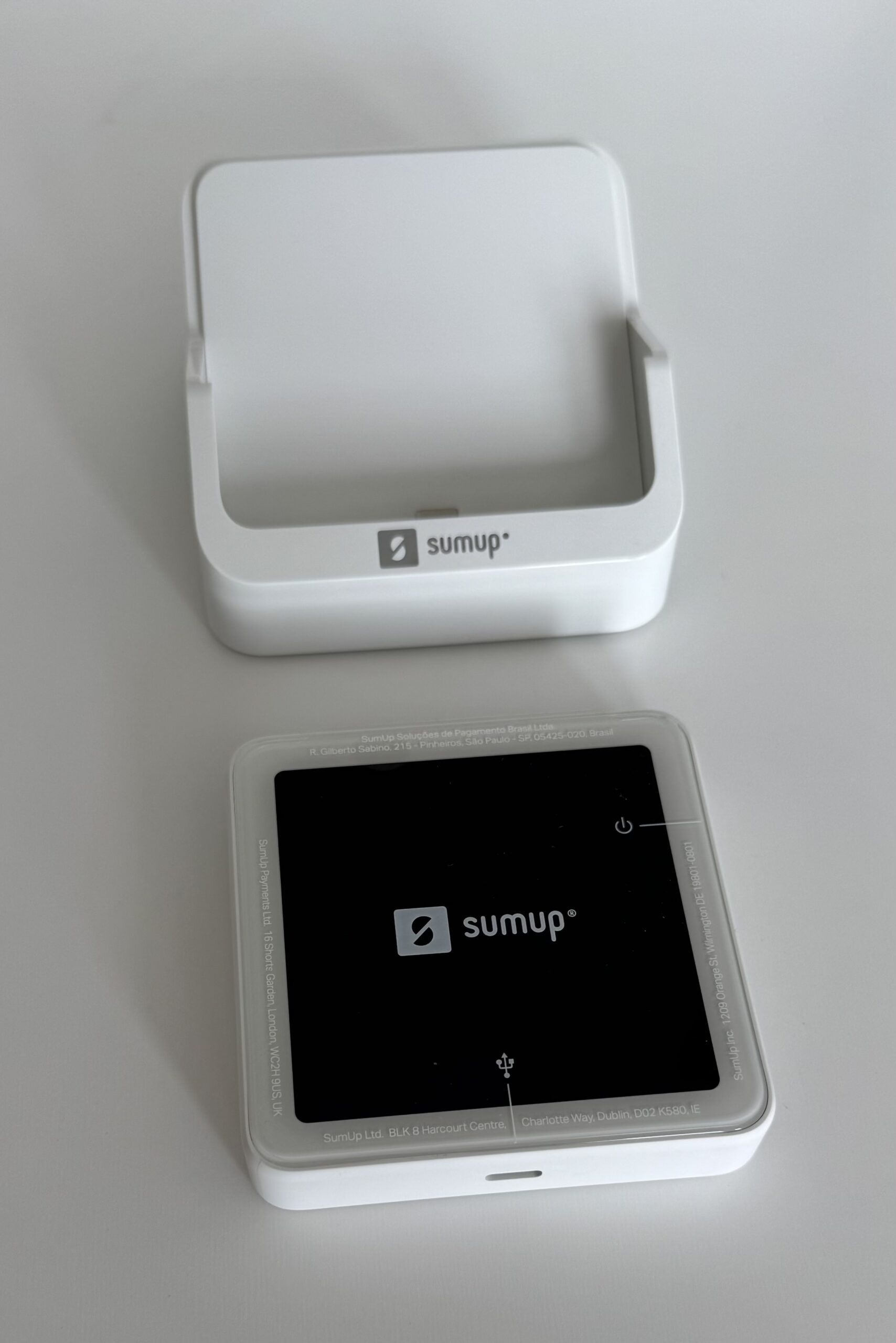
Terminal at £135 ex VAT adds the receipt printer, which you need if your trade customers ask for a VAT receipt at the counter.
Card Reader Connectivity and Offline Use
Connectivity is device-specific, and any review that gives you one blanket answer for the range is wrong. Solo Lite has no connection of its own: it pairs to your phone over Bluetooth and inherits whatever signal your phone has.
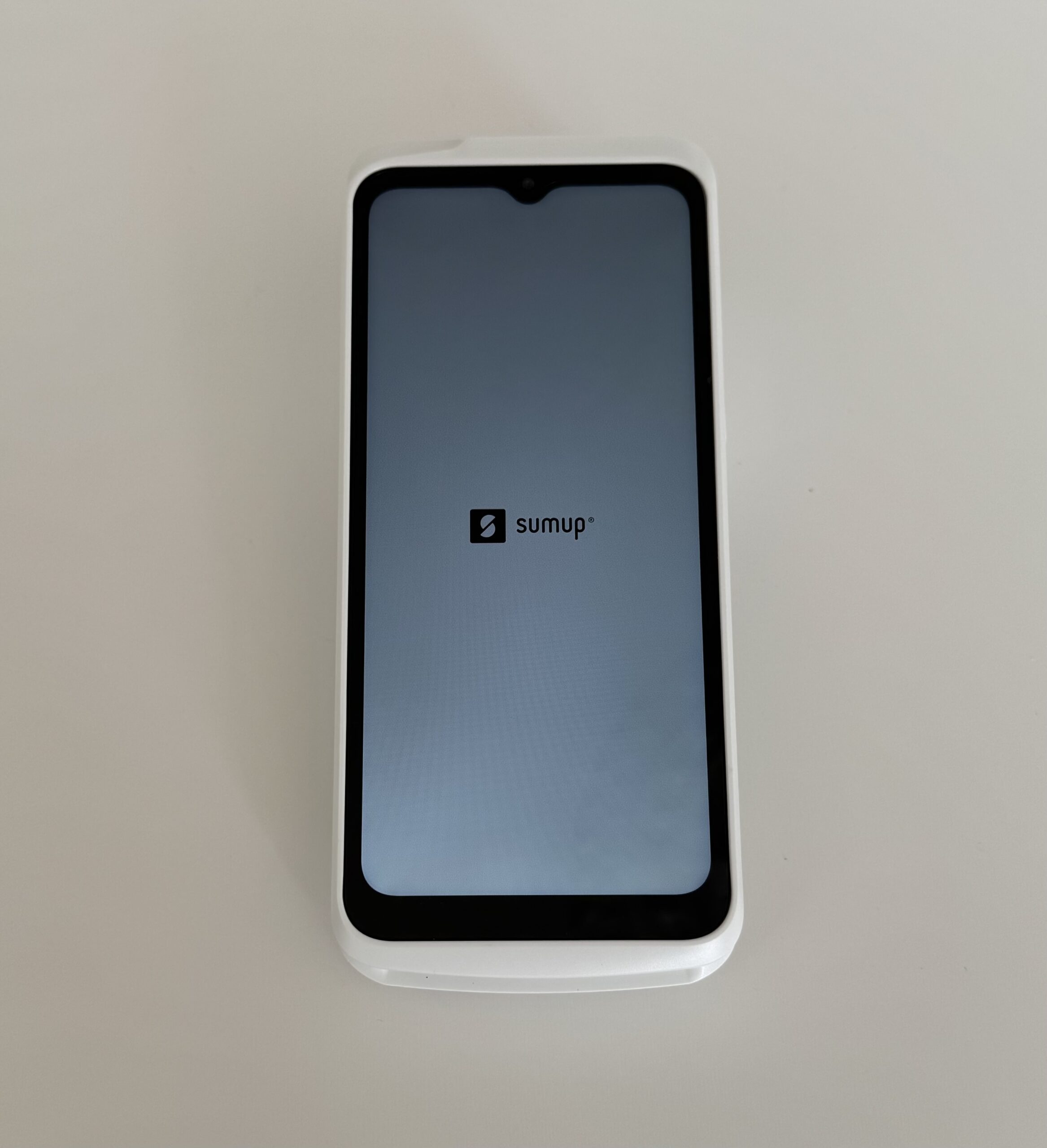
Solo and Terminal carry their own connectivity, Wi-Fi plus built-in mobile data, so they work where your phone might not. SumUp describes Solo as having an offline fallback, which is a useful safety net rather than a guarantee.
We haven’t tested offline acceptance ourselves, and we wouldn’t encourage you to plan a trading day around it. An offline transaction is still subject to the card being valid when it finally syncs, so a field with no signal is a risk you carry, not one SumUp absorbs.
A note on SumUp Air: skip it, because Air is legacy. It isn’t part of the current range, and Solo Lite is the entry-level phone-paired reader now. Any review still listing Air at £39 as a live option, ours included before this update, is quoting a discontinued product.
SumUp Payouts and the Business Account
Payout Timing by Destination
When your money arrives depends entirely on where you send it, and the difference between the two routes is bigger than most reviews suggest. We checked both against SumUp’s payouts guidance on 28 July 2026.
| Destination | Timing | Weekends and bank holidays | Protection | Best for |
|---|---|---|---|---|
| SumUp Business Account | Next day by 7am | Included | Safeguarded electronic money, not an FSCS-protected bank deposit | Weekend traders who need Saturday’s takings on Sunday |
| External bank account | One to two business days | Business days only | Depends on the receiving bank | Keeping everything in the bank account you already use |
| Payout timings checked at SumUp’s payouts guidance on 28 July 2026. | ||||
If you trade Saturday and Sunday, the SumUp Business Account is the route that matters. Takings land by 7am the next morning, weekends and bank holidays included, which is a real cash-flow difference rather than a marketing line. Your Saturday stock money is there on Sunday.
If you sell to tourists, check how your international card payments settle before you reconcile. SumUp states that they take longer to process, so a day’s till may not match a single payout.
You cannot buy instant settlement here: SumUp publishes no such option, paid or free. The next morning is as fast as its documented routes go.
- Payouts to the SumUp Business Account land by 7am the next day, every day of the year.
- Payouts to an external bank take one to two business days and skip weekends.
- International card payments process more slowly and can arrive in a later payout.
- SumUp publishes no instant-settlement option, paid or free.
What the SumUp Business Account Is, and Is Not
The SumUp Business Account is a payments account, not a bank account, and the distinction isn’t pedantry.
SumUp Payments Limited is authorised by the Financial Conduct Authority under the Electronic Money Regulations 2011, reference 900700. It is an electronic money institution, not a bank.
What that means for you: your balance is held as electronic money and safeguarded in segregated accounts, separate from SumUp’s own funds. It isn’t a deposit, and the £120,000 Financial Services Compensation Scheme limit doesn’t apply to it.
If you’re holding a few days of takings there, that’s a reasonable trade. If you are parking a VAT bill or a payroll float in it, we would move that money to an FSCS-protected account instead. Our SumUp Business Account review goes through the account in detail.
Payout holds: you can have a payout held for verification, and a young account taking a payment well outside its trading history is the case readers most often describe. You will be asked for identification and evidence of the transaction.
You will not find a reliable figure for how long a hold takes; we could not source one. If a large first sale is coming, open the account early and run ordinary payments through it first.
Cash machine and foreign use: the Business Account Mastercard gives you three free UK cash withdrawals a month, then 2% each, and charges no SumUp fee on card payments abroad. Our account review covers the rest.
Online Payments, Invoicing and POS Tools
Online Payments, Payment Links and Invoices
You pay 2.5% on ordinary online payments, payment links and invoices, on both plans. That is roughly half as much again as the in-person rate, and Payments Plus doesn’t touch it.
For a mobile trade that invoices after the job, this is the number that governs your costs. Send £3,000 of invoices a month and you pay £75, against £50.70 if the same customers had tapped at the door.
Keyed payments and the Virtual Terminal are a different matter, and no number on this page covers them. SumUp doesn’t publish a rate for manually keyed card numbers on its UK pricing pages.
Specialist sources quote 2.95% plus 25p. We could not confirm that figure at source, and we would rather print the gap than the guess, so confirm the keyed and Virtual Terminal rate with SumUp before you rely on it.
You are better served by a narrow honest qualification than a confident wrong rate.
SumUp POS Apps and Software
The free SumUp app covers what a sole trader needs and stops there: taking a payment, adding a tip, sending a receipt, raising an invoice, and daily totals.
You do get an online store and payment links included, so SumUp is not the in-person-only tool it is sometimes described as. The depth is thin next to Square, though.
You pay extra for stock levels, table plans, staff permissions and item-level reporting: they sit in the paid till tier, not the free app. Square includes more of that in its free tier.
If those features are why you are buying, price the whole stack rather than the reader: SumUp can cost more in total despite the cheaper hardware.
If you need course timing, split bills across a table and a kitchen display, you are shopping for hospitality software rather than a card reader. Settle that before you buy hardware.
Accounting software integrations: you get a narrower list than at the market leaders, and the fallback for most bookkeepers is a spreadsheet export from the dashboard.
Check your own package against SumUp’s current list before you commit, because a monthly manual export is one more job for somebody at month-end.
SumUp Support, Security and Chargebacks
SumUp Support Hours and Channels
You can reach SumUp support seven days a week. We checked the hours on SumUp’s own contact page on 28 July 2026, because Monday-to-Friday hours are still widely quoted elsewhere.
| Level | Availability | Channels | Notes |
|---|---|---|---|
| Standard | Monday to Friday 08:00 to 19:00; Saturday and Sunday 08:00 to 17:00 | Chat and the Support Assistant, via the app and website | The Support Assistant is available outside these hours. Hours may vary over the holiday season |
| Payments Plus | 24/7 priority support | Per the current plan benefits | Included in the £19 a month plan alongside reader-replacement cover |
| Support hours checked at SumUp’s contact page on 28 July 2026. | |||
There is one genuine caveat: SumUp’s contact page now routes everything through the chat assistant and advertises no phone number at all.
Security, Fraud Checks and Account Holds
SumUp handles the sensitive card-data processing through its own approved hardware and systems, which substantially reduces your compliance burden compared with building a checkout yourself. Card data is encrypted at the reader and your phone never sees a card number.
It does not remove every obligation you carry as a merchant, so check what your card scheme asks of you.
Your account is monitored for fraud, as it would be at any acquirer. A sudden jump in average transaction value, a run of payments that doesn’t match your trading pattern, or an unusually large sale on a young account can all trigger a review and a held payout.
If you have a large first transaction coming, a wedding deposit or a commissioned piece, open the account a few weeks early and run ordinary sales through it first. You cannot build a trading history once the money is already stuck.
How SumUp Handles Chargebacks
A chargeback costs you £10, non-refundable, on top of the disputed amount. That is the same figure as the fee table above.
Budget for it rather than assume disputes are free. It is the charge most often left out of SumUp write-ups.
When a customer disputes a payment, SumUp covers the initial cost and then takes it from your next scheduled payout rather than from your balance on the day. If the issuing bank finds in your favour, the funds are held for a 60-day appeal period first.
You are working to deadlines set by the acquiring bank rather than by SumUp, and missing one closes the case in the cardholder’s favour regardless of the merits.
Keep the receipt, the delivery confirmation and the customer correspondence for every sale, because a chargeback can land weeks after your money did.
Refunds work differently, and are worth reading before you promise one. A refund the morning after a payout may have to wait until you take more sales, because you can only refund against money you haven’t yet withdrawn.
- You can only refund a payment while you hold enough un-withdrawn payouts to cover it.
- Refunds on payments over 90 days old may not be possible at all, for third-party technical reasons.
- Partial refunds on American Express only become available the day after the payment was taken.
- You do not get the original transaction fee back. The customer receives the full refund; the processing cost stays with SumUp.
What SumUp Customers Say
Read that score with three things in mind, because a large number next to a big review count invites more confidence than it has earned.
First, you are not looking at a neutral sample: SumUp invites reviews, and invited reviews tend to sit above unprompted ones. Second, the profile carries reviews merged from more than one business profile.
Third, it covers SumUp as a whole rather than the specific reader and plan you are buying, which is the thing you actually want a score for.
We haven’t coded a review sample for this page, so we aren’t going to hand you complaint themes with counts nobody counted. That average tells you SumUp isn’t a disaster, and it tells you very little else.
If you want to use the profile properly, skip the average and read the most recent one-star reviews. That is where you see whether today’s complaints are about held payouts, account closures or hardware.
When a customer disputes a payment, or a payout is held for checks, those reviews are the closest thing to a warning you will get in advance.
Who SumUp Is Best For
Your card mix decides this more than your size does. If most of your takings are ordinary domestic consumer cards, SumUp is cheap and easy to leave; if they are not, the headline rate stops describing your bill.
| Your situation | Verdict |
|---|---|
| Market and event trading, or any income that stops and starts | Best fit. You buy the reader once and pay nothing in January. |
| Mobile trades working where phone signal is poor | Good fit on Solo at £79 ex VAT, which works without your phone. |
| Seasonal trading, a few weeks a year | Good fit: no contract, owned hardware and nothing to pay outside your trading weeks. |
| Small retail or counter service, takings still settling | Start on pay as you go and switch when the calculator above says so. |
| American Express, corporate or foreign cards are a real share of takings | Look elsewhere. Those stay at 1.69% on both plans. |
| You need FSCS deposit protection | Look elsewhere. The Business Account is safeguarded e-money, not a deposit. |
| Five figures a month or more | Ask Dojo or Teya to quote your actual card mix; a flat rate cannot. |
| You need table plans, course timing or a kitchen display | Look elsewhere. That is hospitality software, not a card reader. |
| You need the money the same day | Look at myPOS. SumUp publishes no instant-payout option. |
| Verified 28 July 2026. | |
SumUp Alternatives
Each of these solves one specific SumUp limitation, so choose the one that matches the limitation you actually have rather than the one with the longest feature list.
SumUp vs Square
Choose Square if free till software matters more to you than a small difference in the per-transaction rate. Stock, staff logins and item reporting sit in Square’s free tier and in SumUp’s paid one. Our SumUp vs Square comparison runs the costs side by side.
SumUp vs Dojo and Teya
Once your volume justifies a quoted acquiring rate rather than a published flat one, Dojo and Teya become worth a call. You get named support and hardware service; you take on a contract, and with Dojo rented hardware. See SumUp vs Dojo and SumUp vs Teya.
SumUp vs myPOS
Need the money in seconds rather than the next morning? myPOS settles effectively instantly, though moving it on to your bank costs £1.50 a transfer. Our SumUp vs myPOS comparison covers where that trade lands.
SumUp vs Revolut Terminal
Choose Revolut Terminal if your business already runs on Revolut Business, because takings settle into a Revolut Merchant account, usually within 24 hours, one transfer from the balance you work in. It needs a Revolut Business account, and your plan tier affects the rate, so price the account alongside the reader rather than on its own.
The hardware is £169 plus VAT, bought outright, and it runs without a phone. A built-in 4G eSIM takes over when the shop Wi-Fi drops out, and the receipt printer sits inside the machine rather than on the counter beside it. That costs a good deal more up front than a SumUp reader, and that is what the money buys: a counter device that stands on its own.
If you want the whole field rather than four options, our best card machines for small businesses roundup compares the current UK range.
If you stay, plan around the £10 chargeback fee, the transaction fee you never get back on a refund, the unpublished keyed rate and the missing phone number. None should stop you buying. All should stop you being surprised at month-end.
SumUp Review: Frequently Asked Questions
What fee does SumUp charge?
In person you pay 1.69% on pay as you go, American Express included, and 0.00% on payments made with a customer’s SumUp personal card. Online payments, payment links and invoices cost 2.5%.
Payments Plus at £19 a month cuts domestic debit and credit cards accepted in person to 0.99%. It doesn’t change the American Express, premium, international or online rates, and SumUp doesn’t publish a keyed or Virtual Terminal rate at all.
When you file your VAT return, these are the fees sitting in your card income line, so it is worth knowing which rate each sale actually took.
Is Payments Plus worth it?
It depends on how much of your turnover arrives on eligible domestic consumer cards, because those are the only payments it makes cheaper. If every card qualified, the plan would pay for itself at £2,714 a month, but no real business reaches that.
At a more realistic 80% the break-even is £3,393 a month, and at 70% it’s £3,878. Use the calculator above with your own mix. You can cancel monthly, so trialling it for a quarter is a reasonable way to settle the argument.
Does SumUp accept American Express?
Yes, and on pay as you go it costs the same 1.69% as Visa and Mastercard, with no surcharge. That is genuinely useful if you serve business travellers.
The catch is that American Express doesn’t drop to 0.99% on Payments Plus. It stays at 1.69%, so if you invoice corporate clients who pay on company cards, the subscription gets harder to justify, not easier.
Does SumUp settle at weekends?
Yes, if your payouts go to the SumUp Business Account. Takings arrive by 7am the next day, weekends and bank holidays included, which is the reason most market traders open the account.
Payouts to an external bank account take one to two business days and follow the normal working-day calendar, so when you sell on a Saturday morning the money settles early the following week.
Is the SumUp Business Account FSCS-protected?
No. SumUp Payments Limited is authorised by the Financial Conduct Authority as an electronic money institution under the Electronic Money Regulations 2011, reference 900700, not as a bank.
Your balance is safeguarded in segregated accounts rather than covered by the Financial Services Compensation Scheme, so the £120,000 deposit limit doesn’t apply. For a few days of takings that’s usually fine; for a tax reserve, use an FSCS-protected account.
Can SumUp work without Wi-Fi?
It depends which reader you have. Solo and Terminal carry built-in mobile data as well as Wi-Fi, so they work without a network of your own and without a phone.
Solo Lite has no connection of its own: it pairs to your phone and uses your phone’s signal. SumUp describes Solo as having an offline fallback, but we wouldn’t plan a trading day around offline acceptance on any device.
What does a chargeback cost?
A chargeback carries a non-refundable £10 fee under SumUp’s chargeback guidance, on top of the disputed amount. You pay it whether or not the decision goes your way.
SumUp covers the initial cost and recovers it from your next scheduled payout. If the issuing bank finds in your favour, the money is held for a 60-day appeal period before it returns to you, and the response deadlines are set by the acquiring bank rather than by SumUp.
How we reviewed SumUp
What this review is based on. Desk research, not a hardware test. There is no record of a first-hand SumUp device test at Business Expert.
Nothing on this page claims hands-on use, setup times, battery figures or support response times. Where a claim would need a physical test behind it, we have said we have not tested it.
Sources checked. On 28 July 2026 we read SumUp’s UK pricing page, its card reader pages, its Business Account page, and its help centre articles on payouts, support contact, the chargeback procedure and refunds.
The help centre is built in JavaScript and returns an empty page to an automated fetch, so those four were opened in a browser instead. Regulatory status was cross-checked against the Financial Conduct Authority register.
No comparison sites, no press releases and no affiliate material were used as evidence for any figure on this page.
How we scored it. The 4.3 headline is the weighted average of seven categories, recomputed for this rebuild.
Fees and total cost 4.5 at 25%. Hardware and reliability 4.5 at 20%. Ease of use 4.5 at 15%. Payouts and cash flow 4.0 at 15%. Till and business tools 3.5 at 10%. Support 4.0 at 10%. Transparency and contract terms 4.0 at 5%. That totals 4.25, shown as 4.3.
The score card higher up the page shows a three-axis summary of those seven: customer reviews 4.2 from the Trustpilot record, value for money 4.5 from fees and contract terms, and features 3.5 from the till and business tools.
Till and business tools score lowest because the free app is deliberately basic and the depth sits behind the paid tier. That is the same judgement the prose above makes.
What we calculated ourselves. Every break-even figure here is derived from one formula against SumUp’s published rates, rather than carried over from a previous version.
Earlier drafts printed four different fixed thresholds as though each were a fact. They were the same sum run at four unstated card mixes, and all four have been removed in favour of the table and the calculator above.
Customer reviews. The Trustpilot figure comes from our own dated ratings record rather than being typed into the prose, so it cannot silently go stale. We have not yet coded a structured sample of recent UK reviews, and we have not published theme counts in place of one.
One wording note on the chargeback fee: SumUp’s guidance states it as what payment providers charge rather than naming itself, on the page setting out its own chargeback procedure. We have reported it as the fee you pay and linked the page so you can read the phrasing yourself.
What is still unresolved. Whether the £19 Payments Plus fee is quoted excluding or including VAT, and the rate for keyed and Virtual Terminal payments. Neither is stated on SumUp’s public pricing pages. We have flagged both rather than guessing.
Update cadence. We re-verify this page whenever SumUp changes pricing, eligibility or terms, and at least monthly otherwise. The verification date at the top reflects the most recent full check.
Some links on this page are affiliate links, which means Business Expert may earn a commission if you buy through them, at no cost to you and with no influence on the verdict. See our editorial policy.