The decision most owners actually face is this: at your card volume, will the per-transaction fees on a free POS cost you more than a paid plan that drops the rate? Run the maths before treating “free” as automatically cheapest.
Above roughly £2,700 a month in card sales, a plan like SumUp Payments Plus (£19/month, 0.99%) starts to beat the free flat-rate plan. The exact crossover depends on the provider and your card mix, so it’s worth the calculation below rather than a single rule of thumb.
BusinessExpert may earn a commission when you sign up through links on this page. Our editorial picks are based on verified pricing, feature breadth, and operational fit, not commission rates. Square is our featured affiliate partner.
The best free POS systems for UK businesses
Picks are ranked by feature breadth at the free tier and how well each system holds up as the business grows. Each comes with an explicit condition for when it is the wrong choice.
Best free POS overall
Square POS. The most complete free POS available in the UK. Strong basic inventory, employee time tracking, sales reporting and a free online store, all at the free tier with no monthly fee and no contract.
Offline card acceptance is available but conditional and varies by device: it runs for a limited window, must reconnect within 24 hours, and contactless, gift cards and Clearpay are excluded.
Advanced inventory (purchase orders, cost of goods, barcode label printing) sits on the paid Plus tier. Hardware starts at £19 +VAT for the Square Reader. The trade-off is that Square is both the POS and the payment processor; you can’t bring a cheaper acquirer.
Not right if: you process several thousand a month in card sales. At higher volumes the 1.75% rate on UK cards (non-UK cards add 1.5%) is worth refinancing, either inside Square or by switching to a system like a fuller EPOS or Loyverse where you control the card processor.
See our Square Reader review and Square vs SumUp comparison.
Get Square POSBest free POS for sole traders and pop-ups
SumUp POS. SumUp’s free plan covers the essentials well: take a card payment, log a sale, generate a receipt, and it includes a basic product catalogue, real-time inventory and basic staff info, plus a free SumUp online store (£0/month, 2.5% online).
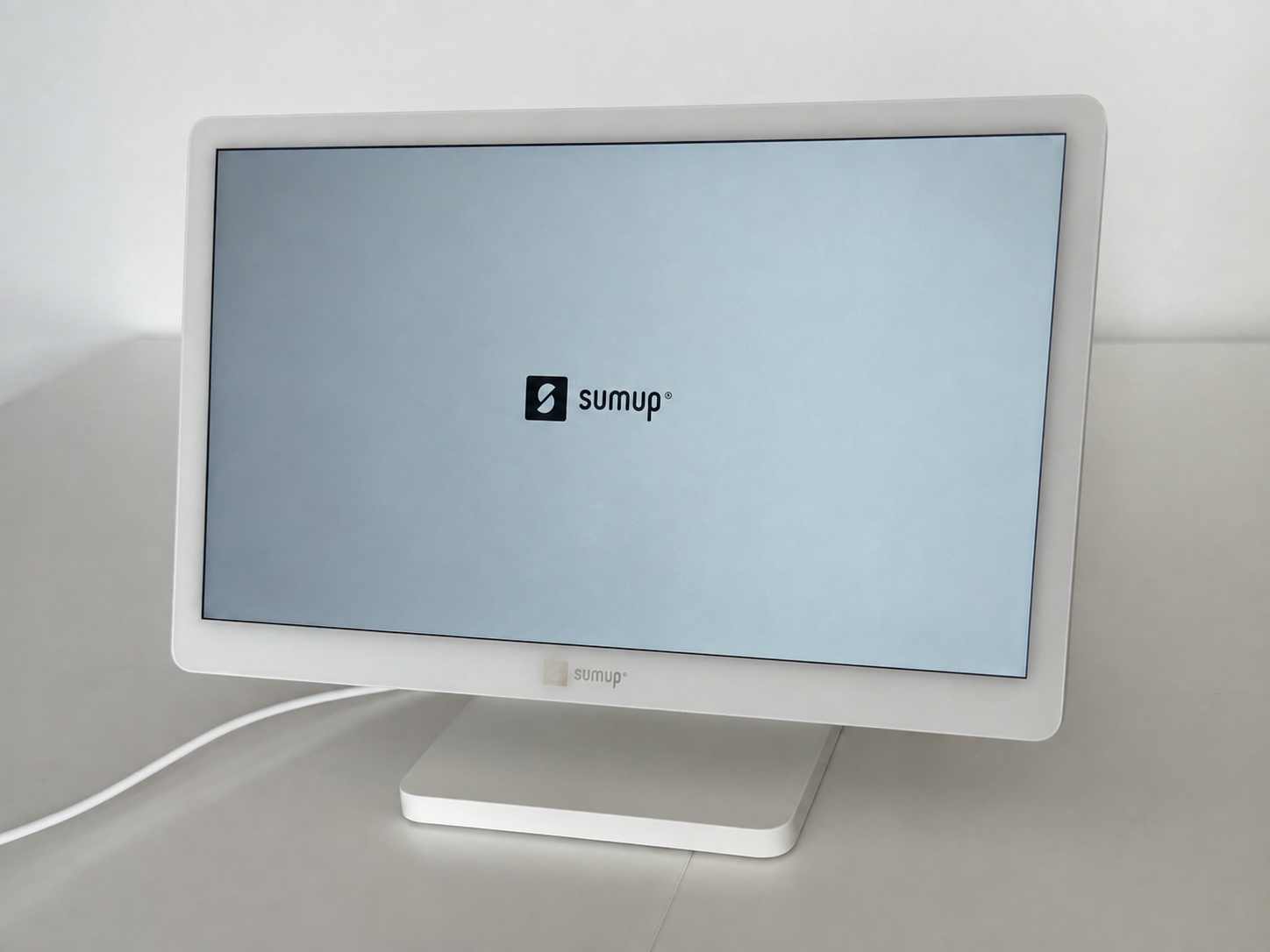
The 1.69% PAYG rate, including Amex, is the lowest confirmed in-person rate on this list. Hardware starts at £25 +VAT (Solo Lite reader) or £0 with Tap to Pay on a compatible iPhone or Android phone, and there’s no contract.
For a sole trader who needs to take cards reliably without managing a system, simplicity is the point.
Not right if: you need advanced inventory, full staff management or hospitality tools like table plans. Those sit on SumUp’s POS Plus tier (£39/month excluding VAT).
Once card turnover clears about £2,700/month, the Payments Plus plan (£19/month, 0.99%) starts to beat the flat PAYG rate. See our SumUp review and SumUp vs Square.
Visit SumUpBest free POS already running PayPal
PayPal Point of Sale (formerly Zettle). Free POS app with basic inventory at the free tier, no monthly fee, no contract, and 1.75% flat including Amex. The differentiator is settlement: card takings land in your PayPal Business account within minutes rather than next day.
If your business already runs a PayPal balance for online sales or invoicing, it keeps in-person and online takings in the same reconciliation flow.
Funds are spendable straight away inside PayPal (via PayPal tools or the PayPal Business debit card); a bank transfer, Instant (up to ~30 minutes) or Standard (3–5 working days), only moves them to a high-street account.
Not right if: you don’t use PayPal for anything else. The PayPal-first settlement adds a step you don’t need, and at 1.75% with fewer features than Square, it isn’t the default choice. See our Square vs PayPal POS comparison.
Visit PayPal POSBest free POS that lets you choose your own card processor
Loyverse POS. Loyverse separates two things every other system on this list bundles together: the POS software and the card processing.
The software is permanently free with no per-transaction fee at the POS layer; you connect a separate processor (SumUp, PayPal POS, or Teya) and pay that provider’s rate directly.
A cafe that starts on SumUp at 1.69% can later switch to a lower-rate acquirer without retraining staff on a new POS. Inventory, customer loyalty, and a free kitchen display app are all included.
Not right if: you don’t already have an iOS or Android tablet to run it on, or you want a single relationship for software and payments. Loyverse’s strength, processor independence, is also its operational complexity.
Visit LoyverseBest free POS for businesses already on Shopify
Shopify POS Lite. Free for any business with an active Shopify subscription. Inventory, customer data, and reporting all flow through the same Shopify back office that runs the online store, so a Shopify shop adding in-person sales doesn’t need a second product catalogue.
Hardware starts at £49 (Shopify Tap & Chip Reader). The honest framing: not free standalone. Shopify Basic (£25/month, or £19/month billed annually) is the real entry cost, and POS Pro, if you need advanced staff roles and inventory, is £69/month per location.
Not right if: you don’t already use Shopify for an online store. Don’t take a Shopify subscription just to access POS Lite; Square or Loyverse will be cheaper if e-commerce isn’t already part of the business. If retail is your focus, see our best retail POS systems.
Visit Shopify POSBest free POS systems compared
 Square Reader
Top Pick
Square Reader
Top Pick
 SumUp POS
 PayPal Point of Sale
No monthly fee
PayPal Point of Sale
No monthly fee
 Loyverse POS
 Shopify POS Lite
What “free” actually means in a free POS
“Free” in this context means no ongoing monthly software fee. It does not mean no transaction fees. Every provider in the table charges per-card transaction, with rates between 1.69% and 1.75% for in-person card-present payments on UK cards as of August 2026.
The free part is the absence of a monthly subscription on top of that. Hardware costs separately, from around £15 to £300+ depending on the setup.
The break-even maths matter and most owners skip them. At 1.75% per transaction, a business doing £3,000/month in card payments pays £52.50/month in processing.
Take a real example. SumUp’s Payments Plus plan costs £19/month and drops the in-person rate from 1.69% to 0.99%, a saving of 0.70%. That £19 is only covered once you’re processing about £2,714/month (£19 ÷ 0.70%). Below that, the free pay-as-you-go plan is cheaper.
The threshold moves with the plan and the card mix, so run it on your own numbers. Square’s Retail Plus (£49/month, 1.6% vs the free 1.75%) only pays for itself much higher up, around £32,700/month. There is no single “free stops being cheapest” figure that fits every provider.
The table below sets out processing cost at four turnover levels, then the mandatory monthly plan cost, so you can see where a paid tier overtakes free for each provider.
| Monthly card turnover | Square / PayPal POS free (1.75%) | SumUp free (1.69%) | SumUp Payments Plus (0.99% + £19) |
|---|---|---|---|
| £1,000 | £17.50 | £16.90 | £28.90 |
| £3,000 | £52.50 | £50.70 | £48.70 |
| £5,000 | £87.50 | £84.50 | £68.50 |
| £10,000 | £175.00 | £169.00 | £118.00 |
In-person UK-card processing only, at published rates, August 2026. Square’s non-UK cards add 1.5%; premium and non-UK cards stay at 1.69% on SumUp Payments Plus. Excludes hardware and any optional POS software tier.
What to look for in a free POS system
Per-transaction processing rate
The headline number is the in-person card-present rate. SumUp at 1.69% is the lowest confirmed rate on this list; Square and PayPal Point of Sale sit at 1.75% including Amex. Square’s 1.75% applies to UK-issued cards, with 1.5% added on cards issued abroad.
Loyverse passes the rate through to whichever processor you connect, so it inherits SumUp’s 1.69% or PayPal POS’s 1.75% depending on the pairing. Shopify POS Lite uses Shopify Payments at roughly 1.7% on the Basic plan.
Inventory at the free tier
Inventory is where free POS systems differ most. Square includes strong basic inventory with low-stock alerts, though advanced inventory, purchase orders and cost-of-goods reporting are paid upgrades. PayPal POS and Loyverse include capable product libraries.
SumUp’s free plan includes a basic catalogue and real-time inventory; advanced stock and hospitality tools sit on POS Plus (£39/month excluding VAT). Shopify POS Lite inherits Shopify’s inventory engine, the most capable of the five if you already have a product catalogue online.
Offline mode
Offline reliability is the dimension that separates POS systems in the real world. Square can queue card transactions for up to 24 hours when connectivity drops, then settles when the connection returns.
But it is conditional: a single session, you carry the risk of declined payments, and contactless, gift cards and Clearpay are excluded. Loyverse processes cash sales offline and syncs when reconnected.
SumUp and PayPal POS don’t advertise offline card acceptance for UK merchants, so it is cash-only offline. Shopify POS Lite has limited offline capability tied to the Shopify subscription tier. Test the offline behaviour against your actual location before committing.
Settlement speed
Square settles next working day to a UK bank account. SumUp credits its own SumUp Business Account by 7am the next day, including weekends; a payout to an external high-street bank then takes one to two business days.
PayPal Point of Sale credits your PayPal Business account in minutes, where the money is spendable straight away.
Moving it to a high-street bank is a free Instant transfer (up to ~30 minutes) or Standard transfer (3–5 working days).
Loyverse settlement is whatever your linked processor offers. Shopify Payments typically settles T+3 on the Basic plan. For tight cashflow cycles, the difference between minutes-to-PayPal and three-day Shopify settlement is real money.
Hardware lock-in
Square, SumUp, and PayPal Point of Sale each sell their own readers and pair only with their own apps; switching POS means buying new hardware.
Loyverse runs on standard iOS or Android tablets and pairs with whichever card reader your processor uses, so you can change either side independently.
Shopify POS Lite uses Shopify-branded readers tied to the Shopify subscription. Hardware lock-in is the cost most owners underestimate when picking a free POS.
Online store integration
Square includes a free Square Online store that syncs inventory and orders with the in-person POS. SumUp also includes a free online store (£0/month, 2.5% online). Shopify POS Lite is built around the Shopify online store.
Loyverse doesn’t include a native online store; you’d add WooCommerce, BigCommerce, or a similar platform separately. PayPal Point of Sale sells e-commerce through integration partners rather than a bundled free storefront.
When you outgrow the free tier
Every system here has an upgrade path, and how cleanly you can leave matters as much as the entry price. Square and SumUp both step up into paid tiers on the same account, keeping your data. PayPal POS keeps takings inside PayPal. Shopify POS Lite’s next step is POS Pro at £69/month per location.
On switching: Square, SumUp and PayPal POS each tie you to their own reader, so changing provider means new hardware.
Loyverse is the exception, you can change the card processor (SumUp, PayPal POS or Teya) without changing the POS or retraining staff. All five let you export product and sales data, so a catalogue you build now isn’t trapped.
Providers excluded from the free POS table
EPOS Now
EPOS Now is a capable POS but isn’t free at the software layer. It runs on a monthly software subscription with a minimum term, and its discounted hardware bundles are tied to that subscription.
We’ve covered EPOS Now elsewhere; it doesn’t belong in a roundup of POS systems with no monthly software fee.
Clover
Clover’s UK pricing is bundled through reseller partners (Barclaycard, Tyl by NatWest), each with different hardware and software fees. There’s no genuinely free Clover tier; the entry point is a rental terminal with monthly fees set by the reseller.
Useful if you’re already on a Barclaycard or NatWest acquiring contract; not a free POS.
Dojo
Dojo is a payments-led product. It charges a 1.2% blended rate on all cards below £100k annual turnover (custom above), with hardware and software priced separately. It’s a strong card payment proposition but not a free POS in any meaningful sense.
Frequently asked questions
Is any POS system genuinely free?
Genuinely free means no mandatory monthly software fee. Square, SumUp and PayPal Point of Sale qualify as free standalone systems. Loyverse is free at the software layer but needs a separate card processor, so it isn’t fully standalone. Shopify POS Lite qualifies only if you already have a Shopify subscription for other reasons. None of them are zero-cost overall, you still pay per-transaction processing on every card sale, and you still pay for hardware up front.
What’s the cheapest in-person card rate on a free POS?
SumUp at 1.69% PAYG, confirmed against sumup.com/en-gb in August 2026. Square and PayPal POS sit at 1.75% (Square’s applies to UK cards; non-UK cards add 1.5%). Loyverse passes through whichever processor you pair, so its rate is whatever you connect (SumUp’s 1.69% or PayPal POS’s 1.75% are the typical pairings). For higher volumes, paid plans (SumUp Payments Plus at 0.99%, negotiated Barclaycard or Worldpay rates) beat these flat rates once card turnover clears roughly £2,700–£15,000/month depending on the plan.
Can I use a free POS without a card reader?
For card payments you need a reader, a Tap to Pay app, or a paired terminal. SumUp, Square and PayPal Point of Sale all offer Tap to Pay on a compatible iPhone or Android phone, which lets you take contactless payments through the phone itself with no separate hardware, at the same rate as the standard reader. Contactless limits and PIN handling vary by device, card and provider, so check the current terms if you regularly take larger transactions; either way, your phone becomes the till.
Do free POS systems support multiple users or staff accounts?
Square’s free tier includes employee time tracking and basic staff accounts. Loyverse’s free tier covers basic staff; its Employee Management add-on is £20/month per store (not per employee). SumUp’s free plan has basic staff info, with full staff management on POS Plus (£39/month excluding VAT); PayPal Point of Sale doesn’t include staff management free. Shopify POS Lite has limited staff features; full role management requires Shopify POS Pro at £69/month per location.
Which free POS works offline?
Square is the strongest on offline card acceptance, though it’s conditional and varies by device: it runs for a limited window, must reconnect within 24 hours, and contactless, gift cards and Clearpay are excluded. Loyverse handles cash offline and syncs when reconnected. SumUp and PayPal Point of Sale don’t advertise offline card payments for UK merchants, cash only offline. Shopify POS Lite’s offline mode is limited and tier-dependent. For market traders, pop-ups, and venues with patchy WiFi, Square is the practical default.
How fast do free POS systems pay out?
Square settles next working day to a UK bank account. SumUp credits its own SumUp Business Account by 7am the next day (including weekends); a payout to an external high-street bank then takes one to two business days. PayPal Point of Sale credits your PayPal account in minutes, spendable there straight away, and a bank transfer is a free Instant transfer (up to ~30 minutes) or Standard transfer (3–5 working days). Loyverse settlement is whatever your linked processor pays. Shopify Payments on the Basic plan settles T+3. We checked each timeline against the providers’ published terms.
How we compared these free POS systems
How we compared them. This is a documentation-based comparison of each free tier, not a hands-on device test.
What we weighed. The per-transaction rate and card scope, what the free tier actually includes (inventory, staff, online store), offline behaviour, settlement route, and hardware cost and lock-in.
Data sources. Pricing, terms, and feature documentation verified directly from each provider’s website in August 2026: Square, SumUp, PayPal Point of Sale, Loyverse, Shopify POS. We priced each free tier from the provider’s own pages and cross-checked regulatory status on the FCA register.
Update cadence. We re-verify every provider on this page at least monthly, and whenever a provider changes pricing, eligibility, or terms. The verification date on the page reflects the most recent full review. Some links on this page are affiliate links, see our editorial policy.